Garden planted!
So thankful that Montana swooped in and helped me get the in-ground beds planted! I was really running out of steam!
The beds were perfectly prepared - It took Steve a little more work than usual because we didn’t completely clear everything last fall. Plus I had some of those disastrous cover crop experiments going. I wanted to add more compost, but never quite got around to that
The irrigation was also a bit harder to wake up because we hadn’t tucked it in as safely as we could have. I did not reuse the prior year’s landscape fabric, so I had to cut and place new pieces. These were pre-drilled. I originally was going to add rows of extra drills along the edges, but once I remembered how massive my garden already is, I realized I did NOT need MORE planting holes!
So this fall - let’s get everything tidied up a bit better and make the intense spring work a little easier!
Since I waited a bit before planting this year (early May was chilly!) it allowed a little more time for prep. But then the day arrives that you better get the rest of those seeds in the ground! Yesterday was that day, as it was expected to rain all day today (VERY rare up here!) That’s why Montana’s help was so timely - we knocked it out. Of course, I still do not believe anything will actually grow - I consider it an annual miracle that anything does, when you look at those tiny, dried out little seeds. Except beans and corn - now THOSE look like seeds!
So here is a ChatGPT-stylized garden plan of what we planted where. As you can see, over half the garden is flowers! And also here are some screenshots of the evolution of that beautiful plan as I was working with AI to get it right. Needless to say, sometimes it takes some real stamina and patience when you are trying to modify/refine AI-generated images. It starts coming up with the craziest stuff. But eventually we got there!
Gorgeous and accurate! Below are just SOME of the intermediary steps it took to get to his beauty.
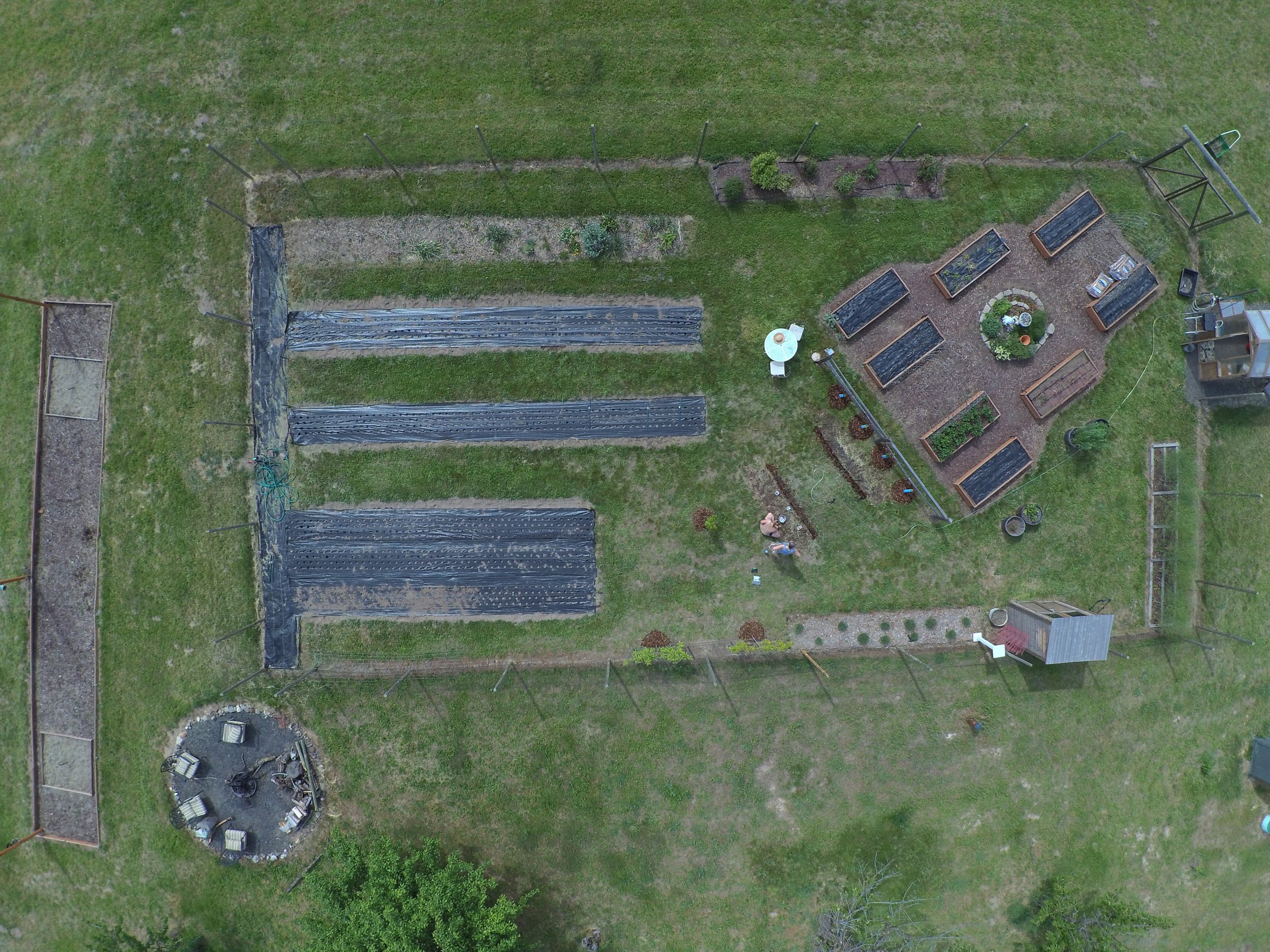
Steve took this drone shot.
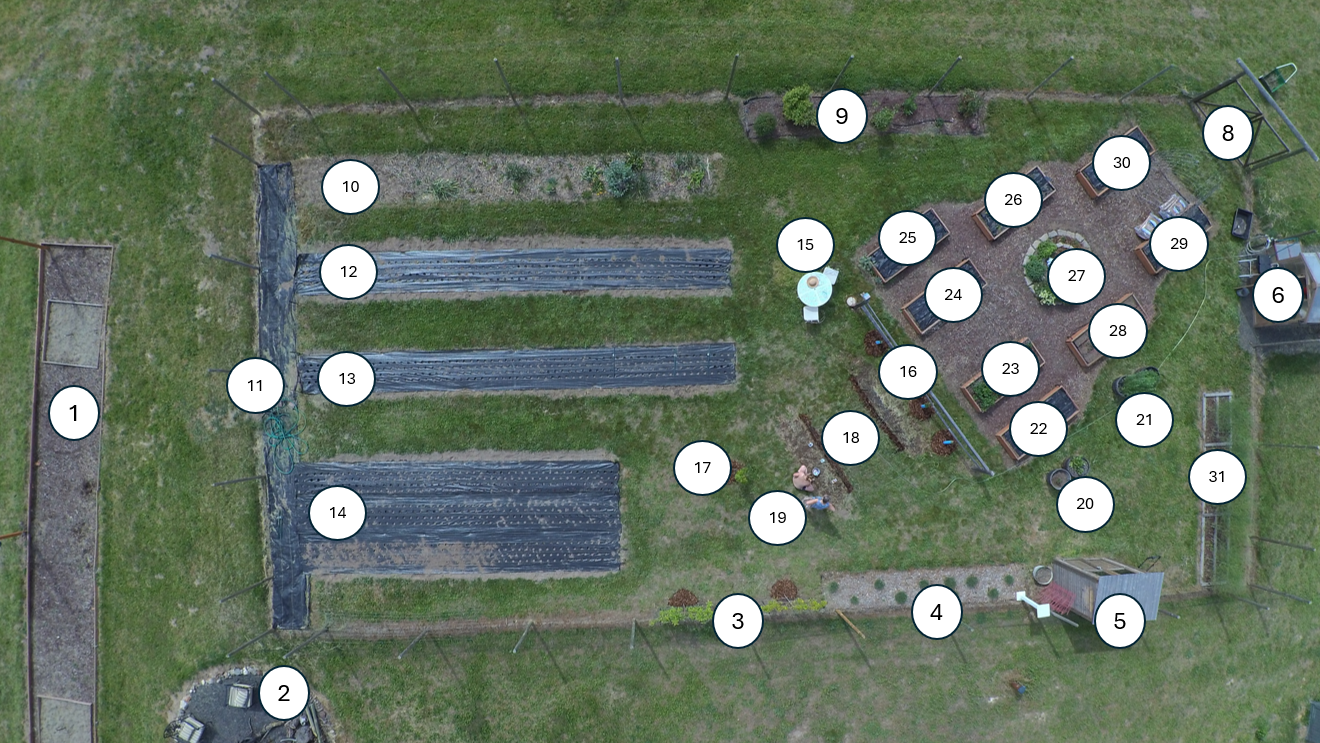
I used PowerPoint to do a quick and dirty numbering of all of the elements. Then I had to tell ChatGPT (via a rambling voice transcription) what each of the numbered areas were and contained.
Its very first attempt was honestly not too bad! Really the only problem is that pretty much all of the raised beds were labeled incorrectly. The trellises were confusing, mainly because when nothing is planted on them, they do not show up very well in the photograph. At this point I figured it would be a fairly easy correction to everything in the correct place and with the correct identification.
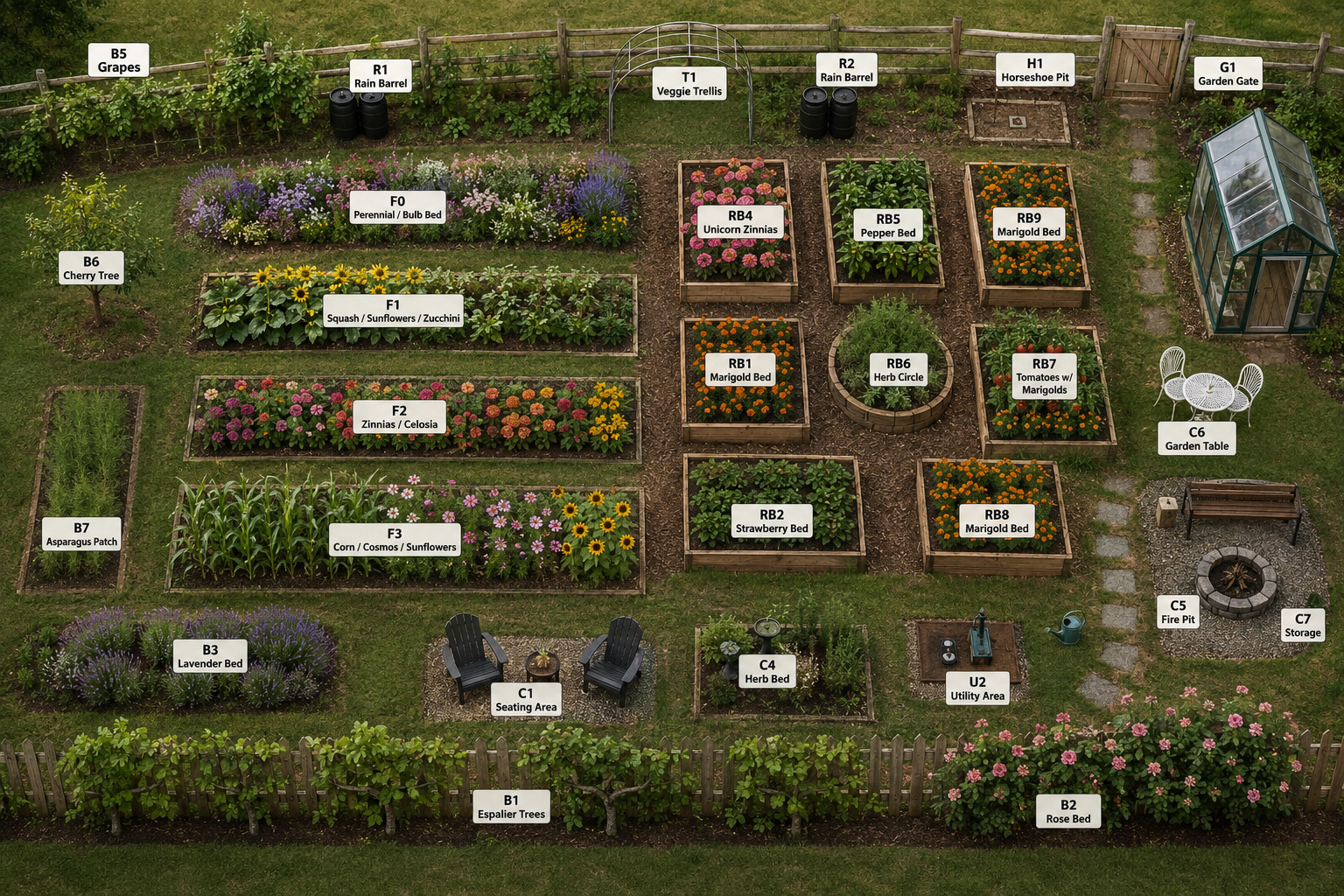
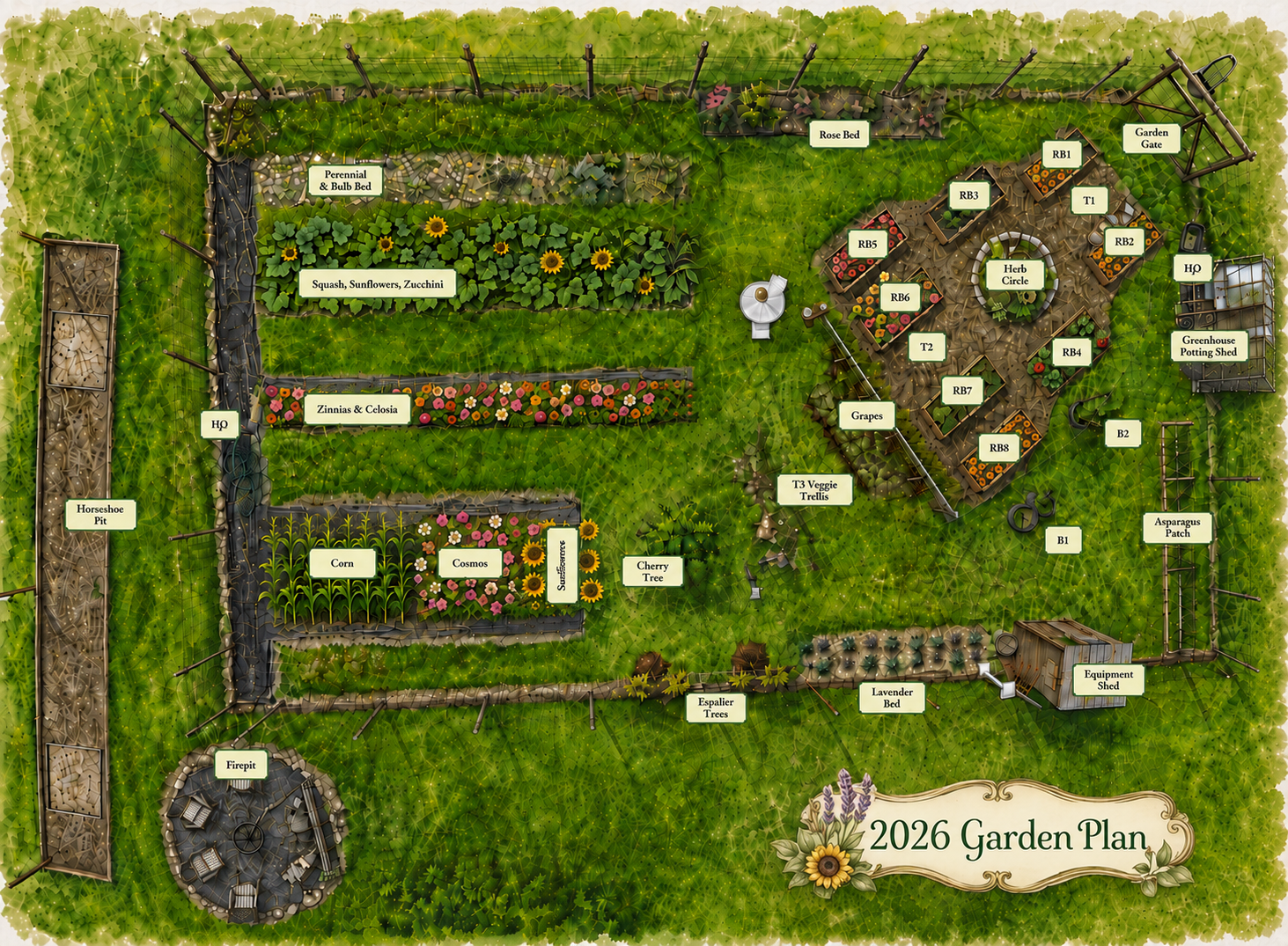
Oh no! About three corrective iterations in, suddenly it came up with his lovely, but completely imaginary garden! This is the problem with Generative AI - it starts “inventing” things. In this case, all of the elements are my elements, but the layout is completely its own. With a stark reprimand, it apologizes profusely and promises to get back in line.
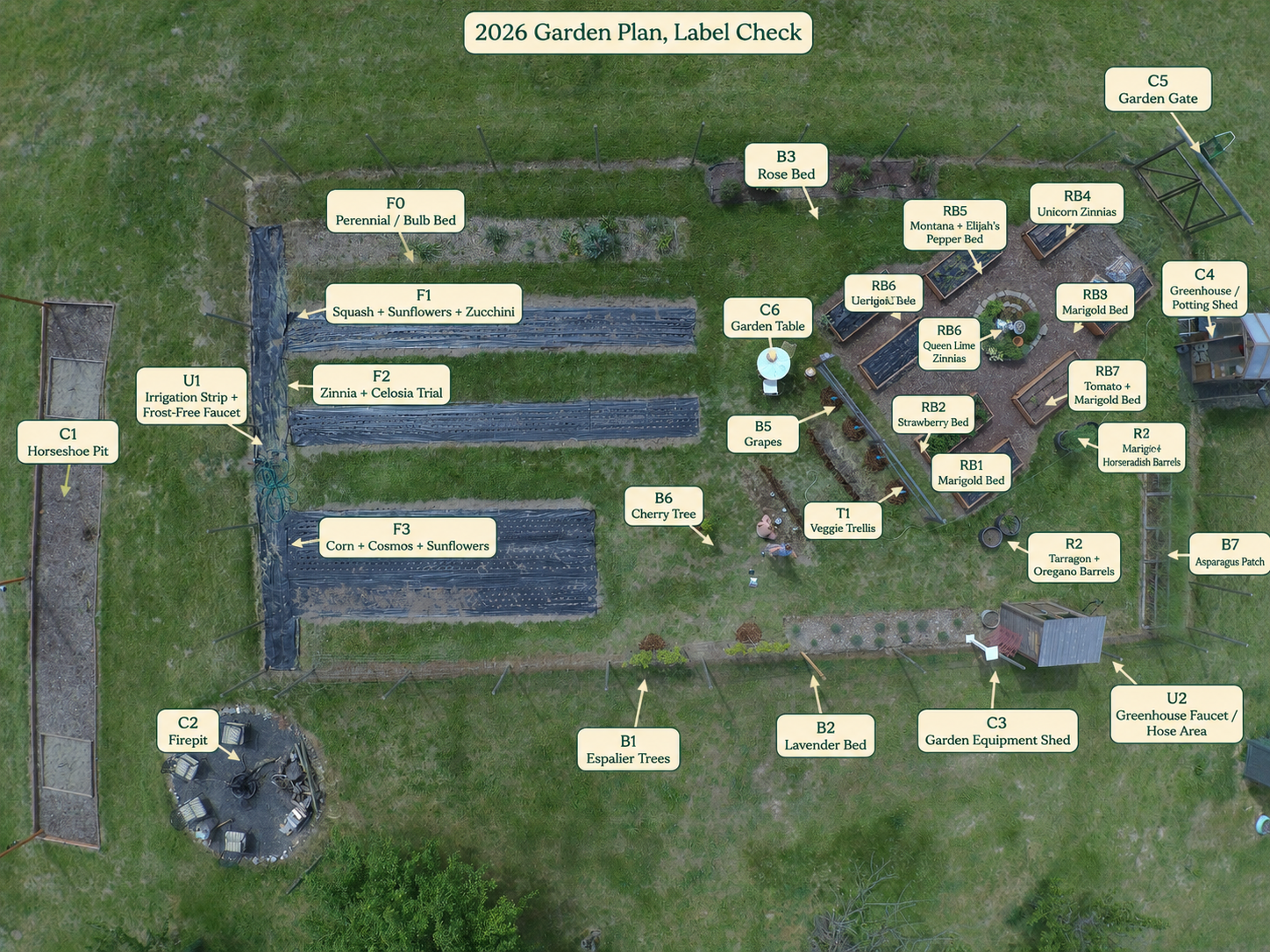
After a few more unsuccessful iterations, it suddenly decides to go back to the original drone photograph. I’m not sure why. We are about an hour in at this point, and suddenly it feels like we are pretty much back to Square Two. Deep breath.
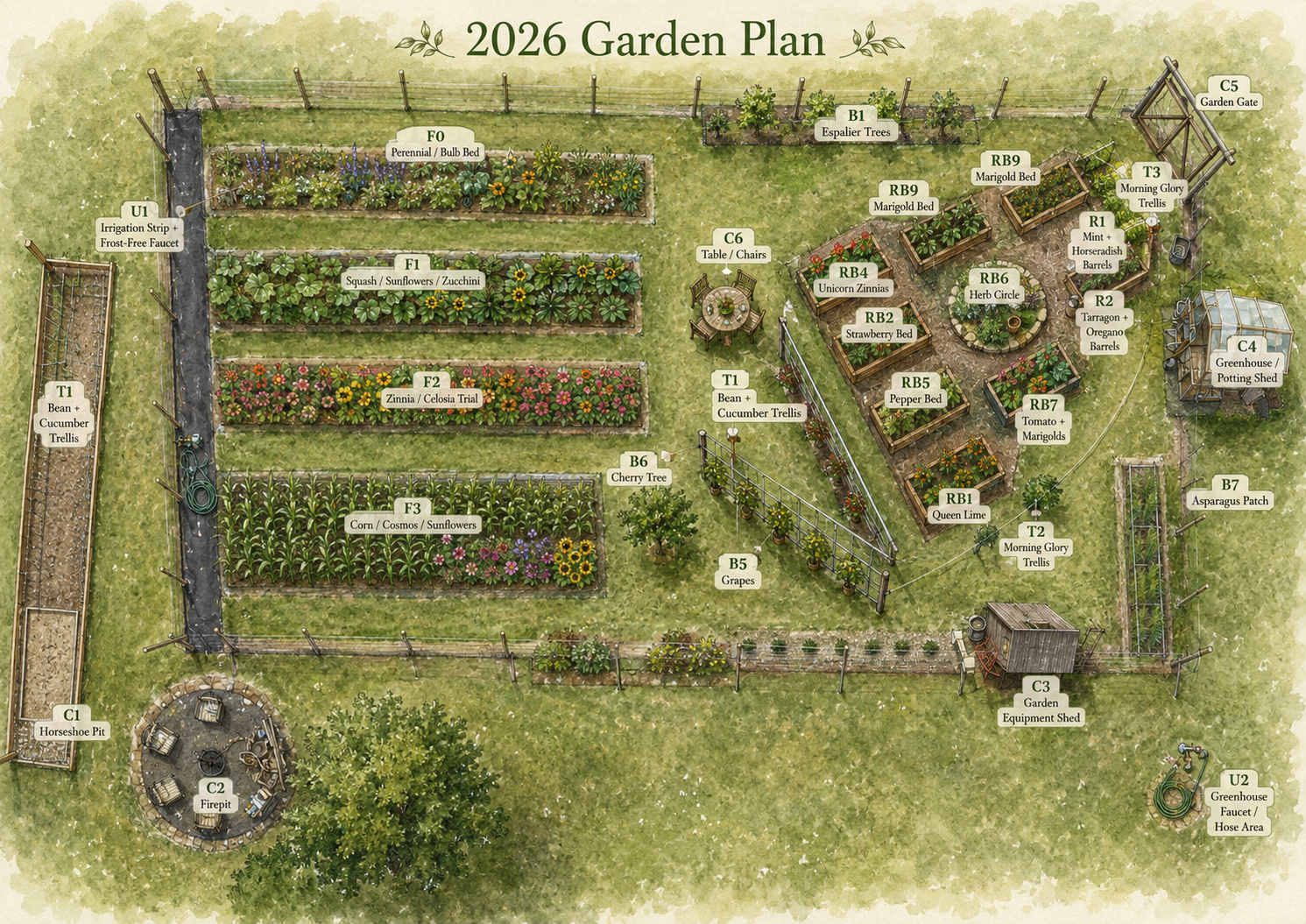
Many more iterations, and it continues to make things up. Now the espalier trees have replaced the rose bed at the top, grapes are in the middle on some kind of crazy V-shaped trellis, the horseshoe pit has suddenly become a bean and cucumber trellis, and we have some kind of new faucet area in the lower right corner. Oh, and our table/chairs have suddenly changed - it’s just heading the wrong direction. MORE iterations…
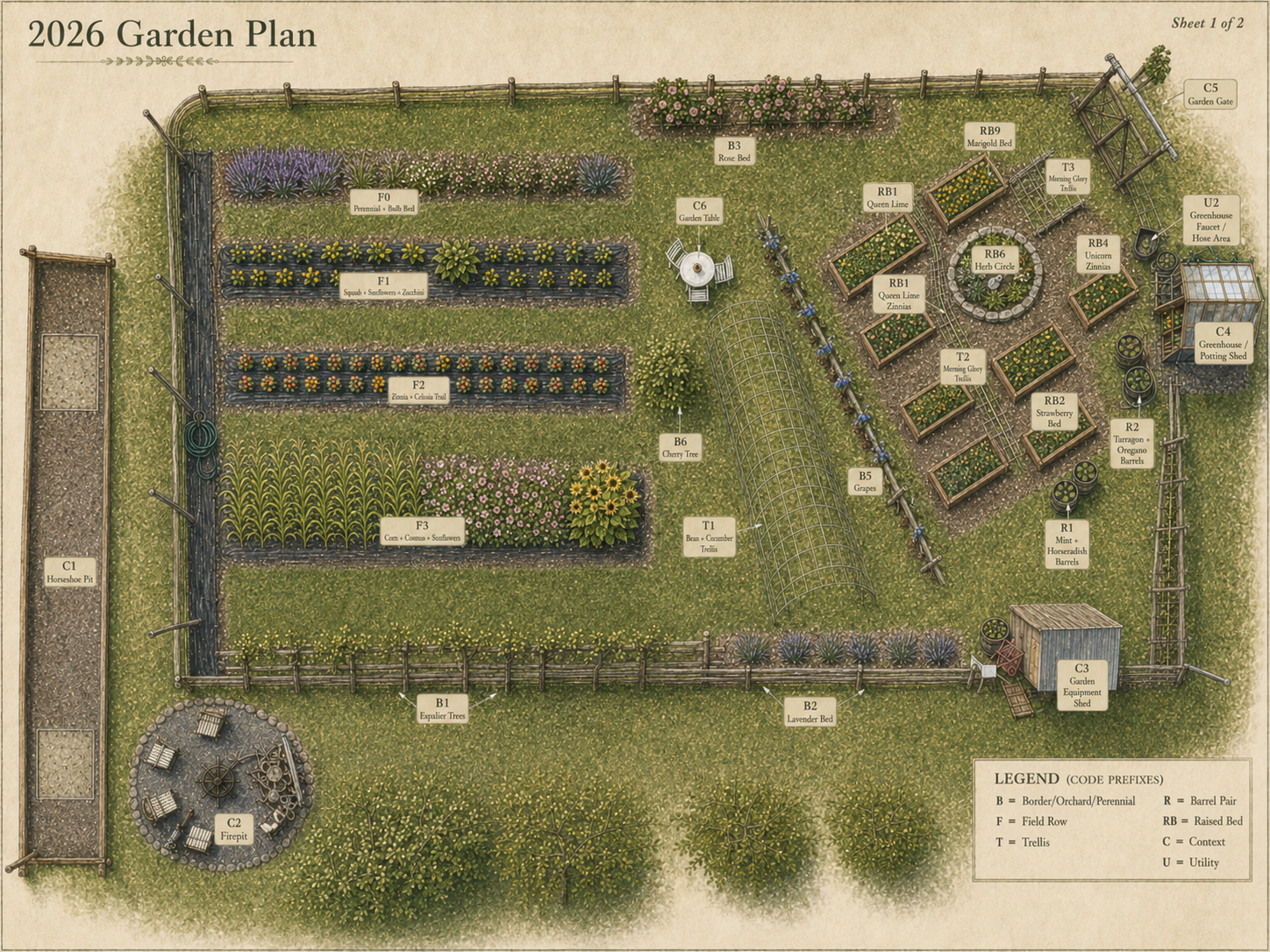
At this point we are probably two hours in. Each iteration takes 10 minutes to process, 5 minutes for me to regain my composure, and another 5 to explain what needs to change. This iteration just continued to introduce new, strange changes. I now have an entire bottom fence of espalier trees (lovely, but not real). The veggie trellis in the middle has become Gigantic, and apparently we have an entire grape orchard. Extra raised beds have appeard, everything keeps moving into the wrong raised bed. At this point I just completely gave up in frustration. I had no hope that continuing to iterate on image changes was only going in circles. So - I went BACK to the PowerPoint version, manually labeled everything (as I should just have at the very beginning) and sent it into ChatGPT ONLY to stylize, NOT to change.
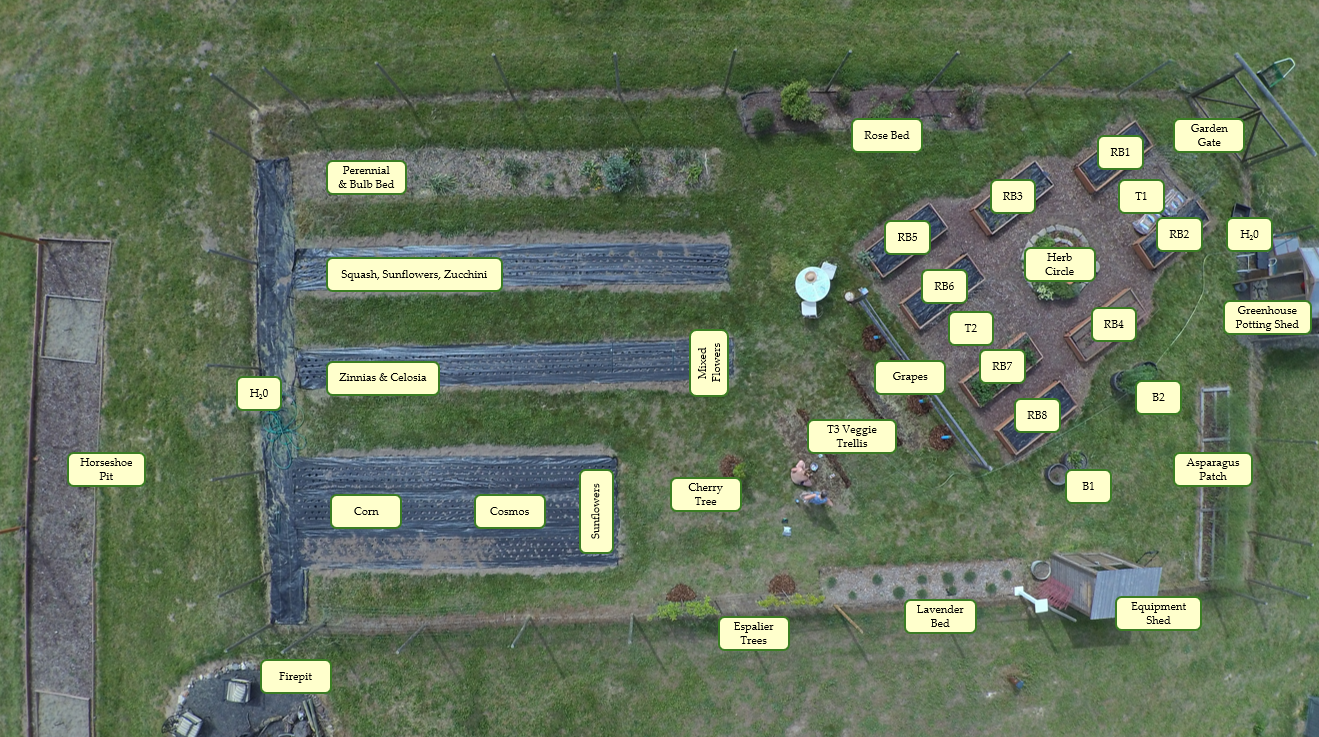
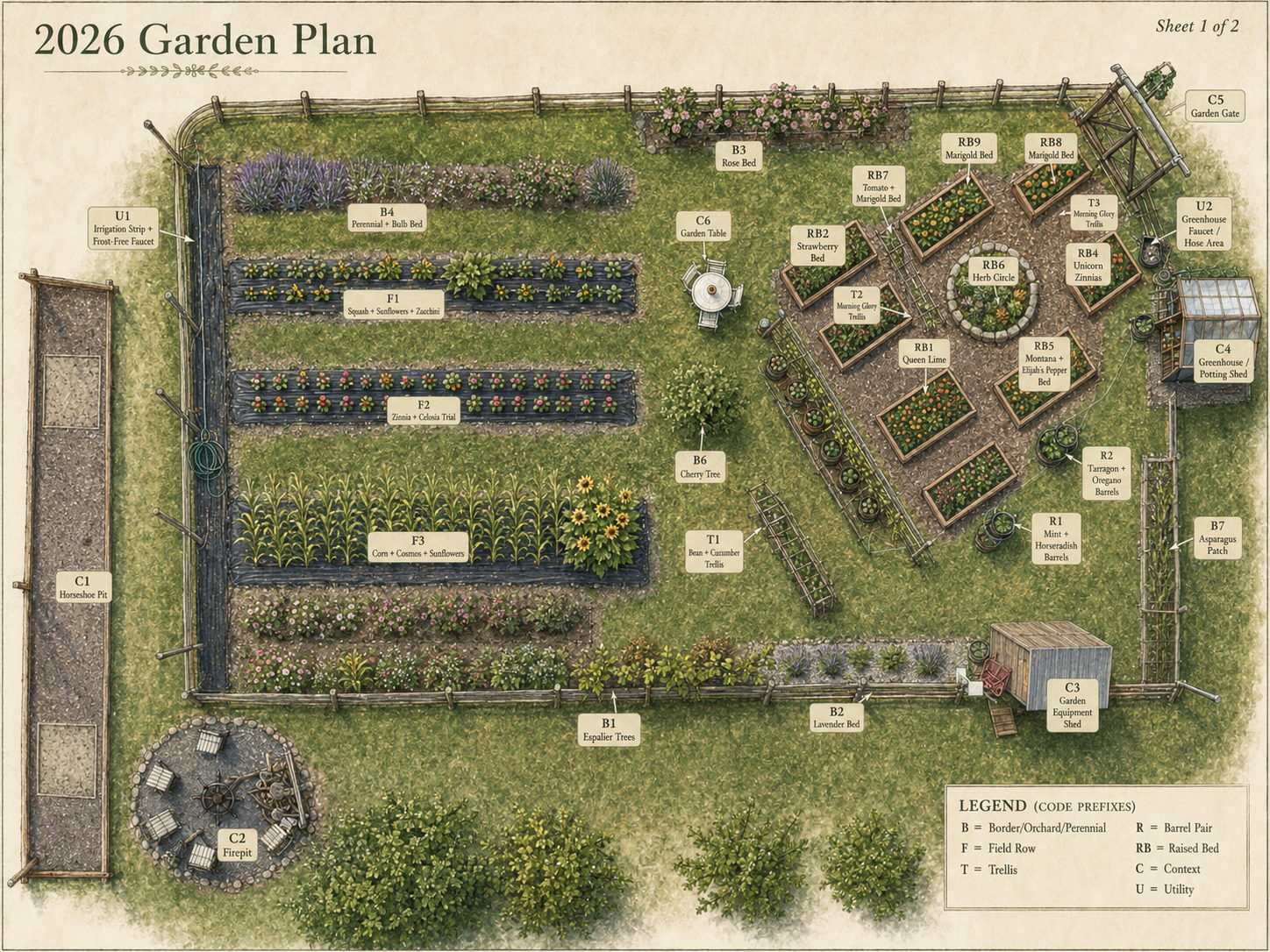
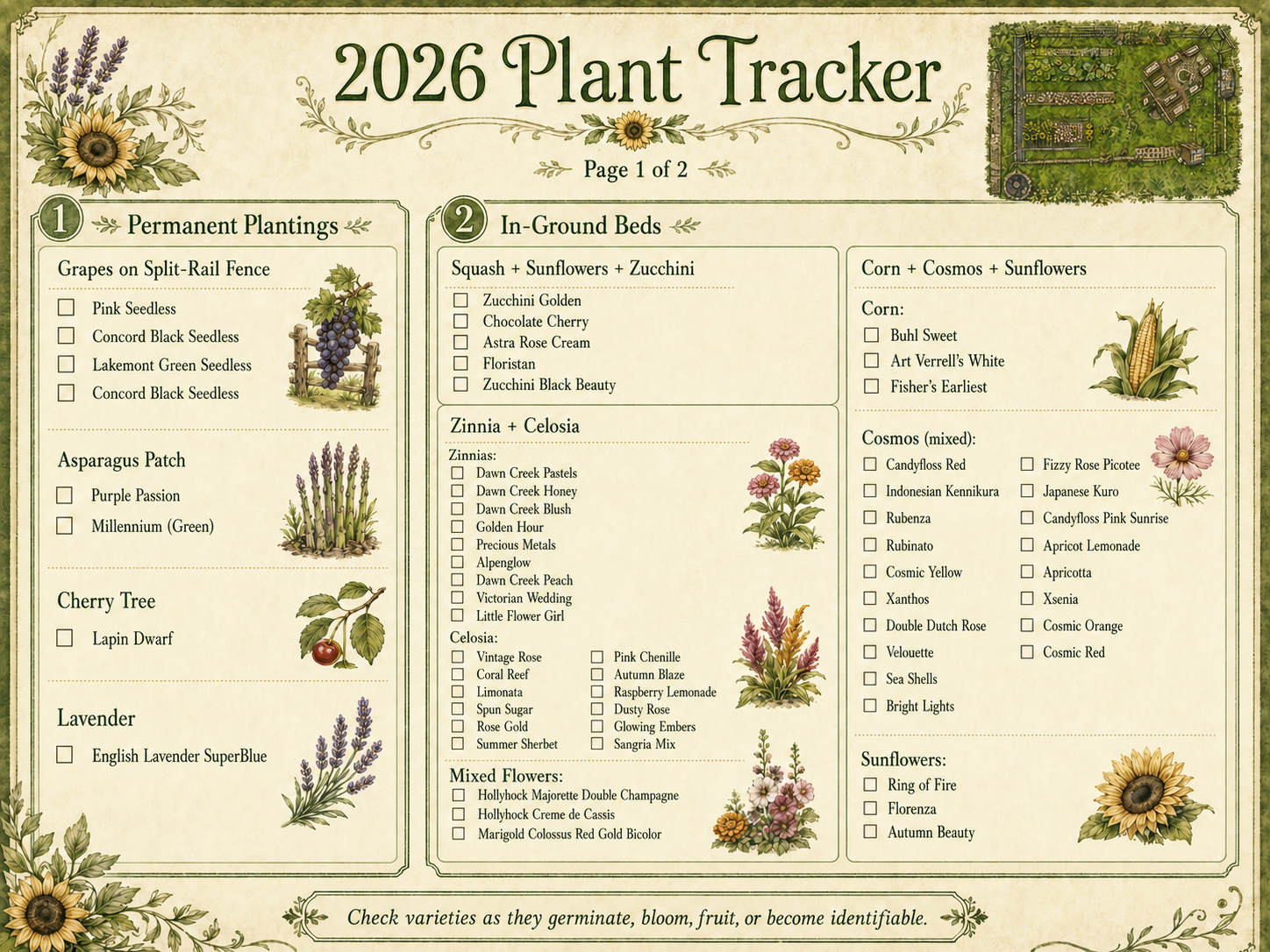
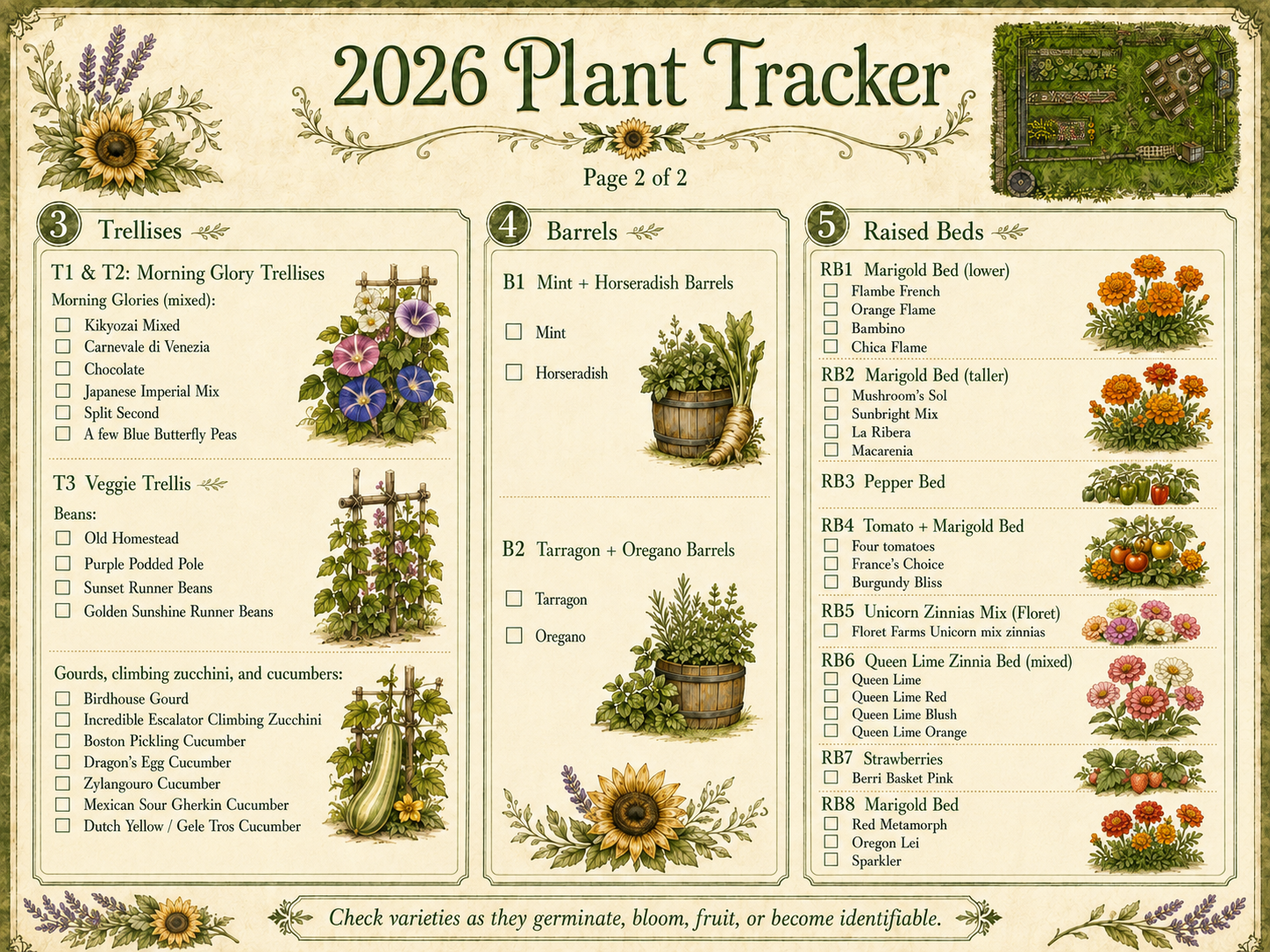
And eventually, after a few more rounds of “Nope, not quite…” it did the job. And I suppose because it felt bad (ha), it also created the lovely plant tracker forms below with all of my variety information for the specific seeds we planted. So despite a frustrating and aerobically-stressful middle, we ended up at a beautiful spot. Here are the final documents. And just for comparison are my LAME prior garden plans sketched out using the only tools I know, Microsoft PowerPoint and Excel. You have to agree that a little frustration was worth it (I think!)
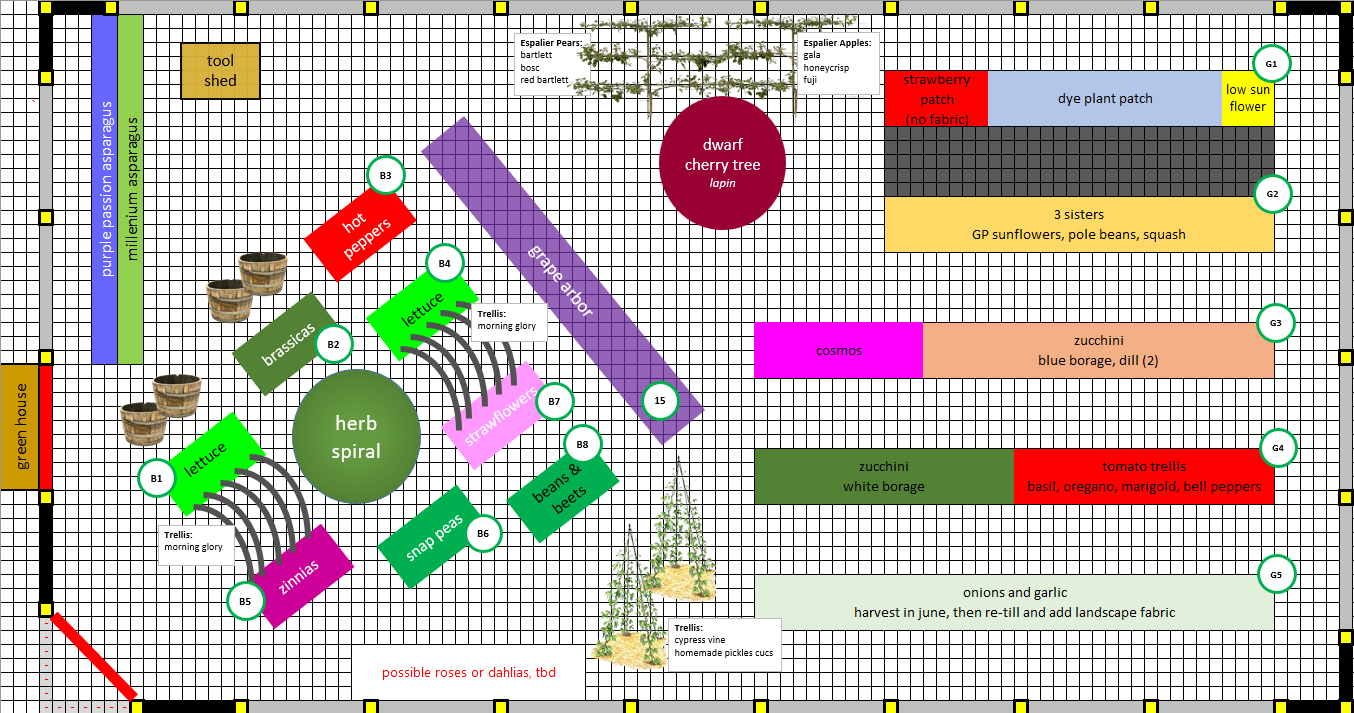
Using an Excel spreadsheet has been my go-to planning method for a long time. However, this garden is not lined up in a nice grid pattern - so many elements are askew. So it kind of defeats the benefit of using a grid-based spreadsheet.
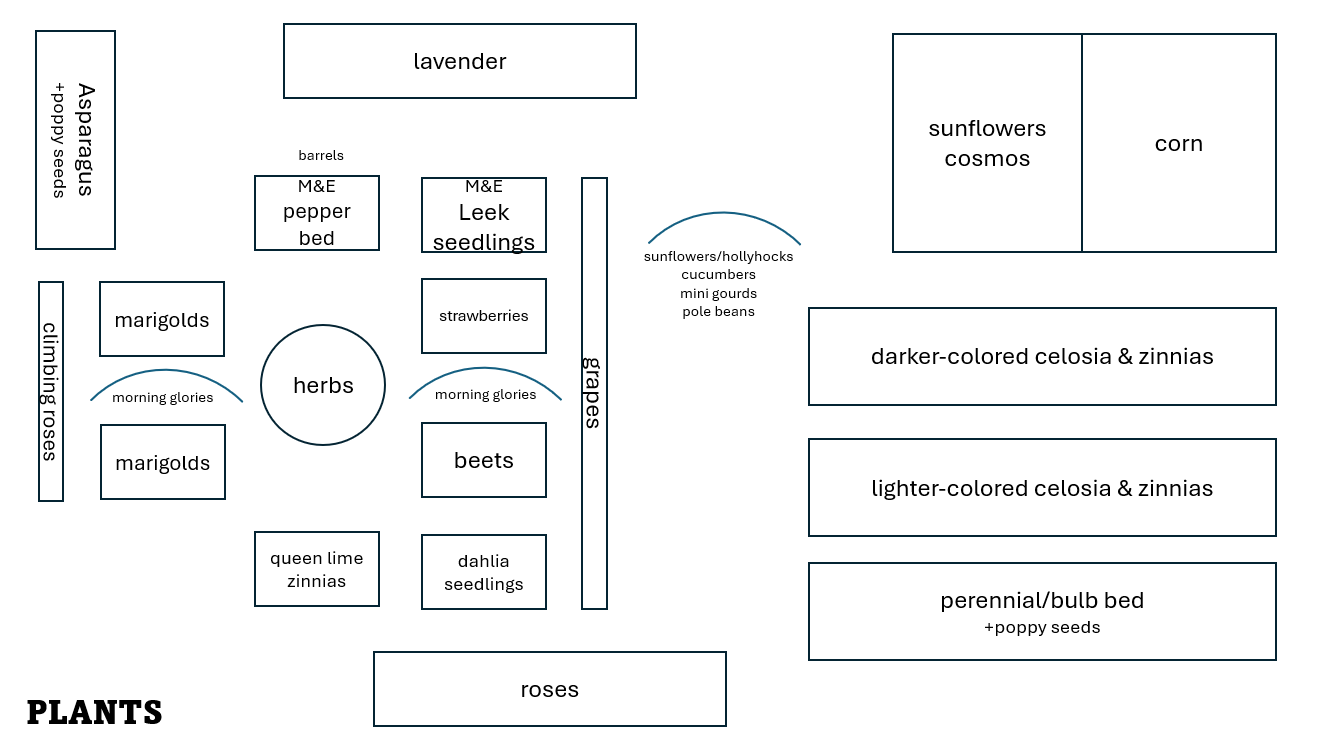
This quick and dirty original 2026 plan was created using simple PowerPoint shapes, no color-coding, and no attempt to “match” the actual layout. But the plan itself isn’t too far off of what we actually ended up doing.